Bending Method page


- Use Triangulation to Develop Each Bend
-
Specifies that the bends will be subdivided within a conical or cylindrical bend region.
- Bend Lines
-
Specifies that bend lines, without actual bends, are created within each bend region.
- Bends
-
Specifies that actual bends are created within each bend region.
- Number of resultant bends
-
Specifies the total number of incremental bends that are created for each bend. In this example, the number of bends was set to 4, and so there are 4 bend lines within the region.
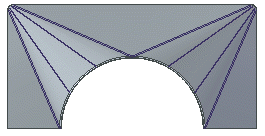 Note:
Note:This option is only available if you select the Bend Lines option.
- Number of segments in arcs
-
Specifies the total number of segments that each arc should be broken into. In this example the number of segments was set to 4 and so there are 4 segments within the region.
Note:This option is only available if you select the Bends option.
- Maximum chord height: (A)
-
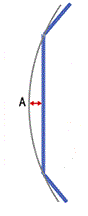
Specifies the maximum value for how far from the curve the planar regions can be.
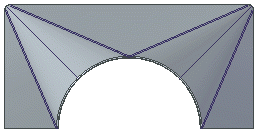
- Maximum segment length: (B)
-
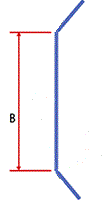
Specifies the maximum distance between the bend hit lines.
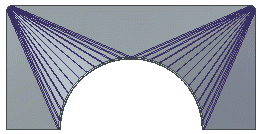
- Maximum segment angle: (C)
-
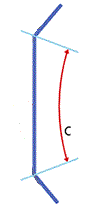
Specifies the maximum angle between two adjacent bend lines. With this option, Solid Edge calculates how many bends will fit within the bend region so that the angle between bend lines is smaller or equal to the angle value you enter.
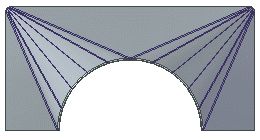
- Index Mark Length
-
Specifies the length of the index marks that are created when you use the Save as Flat command to save a flat model of the sheet metal part.
© 2021 UDS