Parts List command


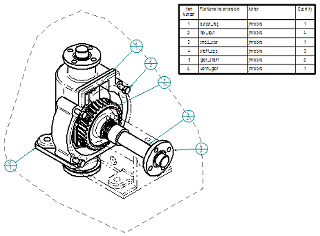
The Parts List command  retrieves information from the file properties of the referenced part or assembly documents, and displays it in a parts list on your drawing. Detailed formatting options enable you to create a highly customized parts list.
-
You can use the Auto-Balloon option on the Parts List command bar to automatically add balloons to the individual parts in part views. For more information, see Create a parts list.
-
For pipes and frame members, you can generate a total length list or a cut length list. For more information, see Create a total length parts list.
-
You can generate a flat length parts list for adjustable tubes and hoses. For more information, see Create a parts list for flexible hoses and tubing.
Note:Adjustable tubes and hoses are routed along different paths in the top-level assembly, but use the same tube properties as their rigid counterparts.
-
You can create an exploded parts list using the options on the List Control tab. For more information, see Create an exploded parts list.
-
You can stack fastener system balloons automatically using the Fastener System options on the Balloon page (Parts List Properties dialog box). For more information, see Stack balloons.
© 2021 UDS