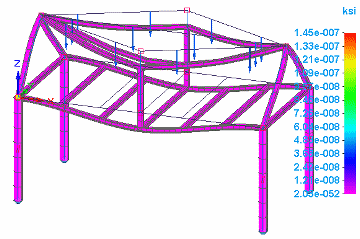
Beam stress component plots


In the Frame environment, beam stress component plots are available for structural frame models with a beam mesh type. When you select Stress from the Result Type list in the Data Selection group, you can review the simulation results for any of the following beam stress component plots:
Positive values indicate areas of tensile stress. Negative values indicate areas of compressive stress.
Beam stress recovery point plots
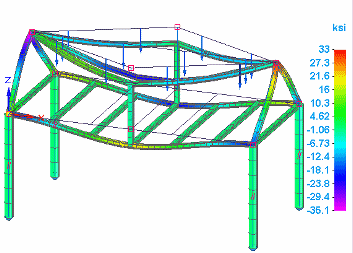
On the beam cross section, you can plot the combined stress results from tension and compression at each stress recovery point (Pt1, Pt2, Pt3, and Pt4).
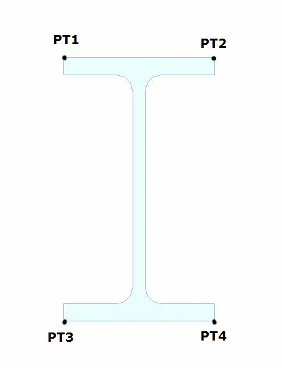
Because the combined stress results usually are the same for End A and for End B, just one result is reported. Only when another stiffness is attached to a shared node does the plot show a different result at that end.
Plot these results by selecting the following data types from the Result Component list in the Data Selection group:
-
Beam Pt1 Combined Stress
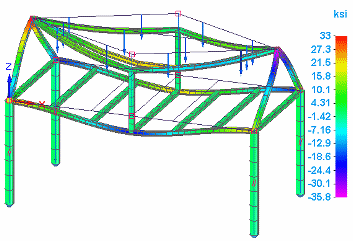
-
Beam Pt2 Combined Stress
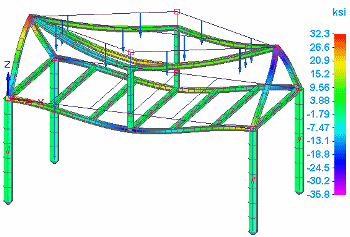
-
Beam Pt3 Combined Stress
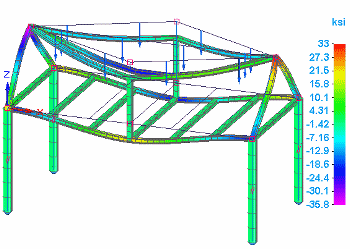
-
Beam Pt4 Combined Stress
In Femap, you can modify the stress recovery and reference points on the cross section. In QY CAD Simulation, you can get more information about the beam cross section using the View Beam Properties command. To learn more, see Beam properties.
Beam combined stress plots
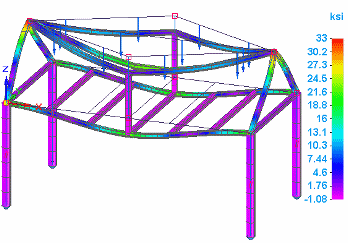
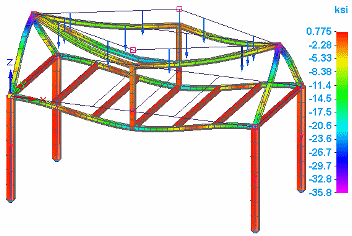
You can show the minimum and maximum combined axial stress and bending stress results on a beam.
Plot these results by selecting one of the following data types from the Result Component list in the Data Selection group:
-
Beam Max Combined Stress
-
Beam Min Combined Stress
Beam tension plot
Tension acts as a pulling force on a structural frame element. A beam responds to tension by elongating in the direction of the applied force.
You can plot the results of tension on a beam by selecting the following data type from the Result Component list in the Data Selection group:
-
Beam Tension M.S. (Margin of Safety)
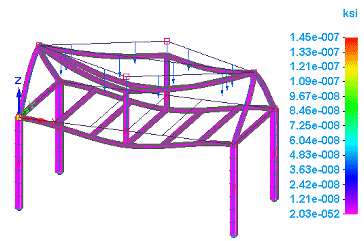
The margin of safety is based on these stresses calculated in QY CAD Simulation—beam tension margin of safety and beam compression margin of safety—as well as the limit stresses defined on the NX Nastran MAT1 card.
Beam compression plot
Compression acts as a squeezing force on a structural frame element. A beam responds to a compression force by shortening along the direction of the applied force.
You can plot the beam compression results by selecting the following data type from the Result Component list in the Data Selection group:
-
Beam Compression M.S. (Margin of Safety)
© 2021 UDS