YouTube search and playback


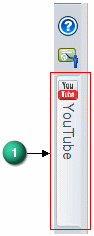
Users can search and view YouTube videos from within QY CAD. The search and playback tools are located on the YouTube docking pane (1) in the QY CAD Application window.
Search
Uploaded QY CAD videos automatically receive the QY CAD tag. When entering a search string, QY CAD is added to the search string automatically but does not display. You can also apply predefined Filters to refine the search. The search results display on the docking pane. A maximum of twenty results display on the pane. You use the Previous and Next buttons to navigate to additional results pages.
Playback
To play a video, click the video and a window opens to play the video. Users can Share  a video, Like
  or Dislike
  a video, or flag a video as Inappropriate
  . You can also add comments about the video in the Comments field.
Record and Upload
The YouTube docking pane also contains the Record and Upload commands for your convenience. You can also Sign In to Google via the docking pane.
© 2021 UDS