Common Views command


The Common Views command  rotates a view to any principal or isometric orientation of the model geometry. When you start the Common Views command, the Common Views tool is displayed, which contains a 3D cube on the left side.
As you move your cursor over faces and corners on the cube, the cube updates and text is displayed on the right side to indicate what view action will occur when you click the mouse button.
When you position the cursor as shown in the illustration, the cube updates and text is displayed indicating the Show Face option. When you click the mouse button, the view is rotated such that the indicated face is perpendicular to the view direction.
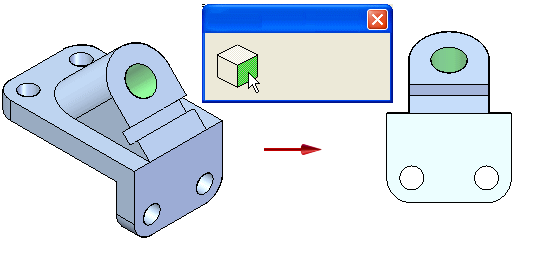
See the Common Views tool help topic for a table that lists examples of the view rotation options available.
You can locate the Common Views command using Command Finder.
© 2021 UDS