Standard Parts


Overview of Standard Parts
Standard Parts is a part library management system, which defines, stores, selects, and positions your frequently used and shared parts, such as fasteners, bearings, structural shapes, pipes, and fittings. You can build 3D assemblies quickly and efficiently by reusing common parts, rather than recreating them every time they are needed.
Companies can establish and share their own standards for parts.
Installing Standard Parts
To build your own Standard Parts library, you must select and install the Standard Parts Administration application from the QY CAD installation screen. This loads the Standard Parts Administrator, Standard Parts Configuration Wizard, and the Standard Parts application.
-
Install the Standard Parts Administrator. The Standard Parts Administrator manages the databases and contents. You use it to create, update, or delete a database. It is also what you use to add parts, generate parts, and manage properties.
-
Use the Standard Parts Configuration Wizard to configure the Standard Parts folders and working database.
-
Open the Standard Parts application in the Assembly environment. The Standard Parts application is a client that you use to select registered parts in a database, and then place the selected parts in an assembly.
Installing Standard Parts Administrator with QY CAD Maintenance Packs
When installing Standard Parts Administrator on QY CAD maintenance packs:
-
Install QY CAD
-
Install Standard Parts Administrator
-
Install QY CAD MPx
Using Standard Parts
Once installed, you can open the application by selecting the Standard Parts button on the Parts Library docking pane when an assembly document is open.
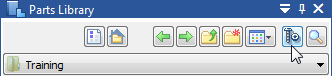
To learn how to use Standard Parts, press F1 while running the commands in the Standard Parts application window.
Standard Parts videos
A series of videos are available to introduce important workflows:
-
Add multiple part files in working database.
-
Add a standard part from a QY CAD assembly.
-
Add parts from Standard Parts Installation Database
-
Add a standard part from an existing QY CAD part file.
-
Add standard parts from Excel table
-
Add standard parts using manual data entry.
-
Add from existing parts by extending characteristics and properties
-
Add standard parts from a QY CAD family of parts master file.
© 2021 UDS